
Export every URL the old store has ever exposed, match each one to its equivalent on the new store using a stable key such as the product ID or SKU, and serve a permanent (301) redirect from old to new at the server. Test the full list on staging before launch, then again on the live store straight after the switch. Rankings usually survive a platform change when search engines and old backlinks reach the right page in one hop, and suffer when old URLs return errors or all land on the homepage.
Why the redirect list has to be complete
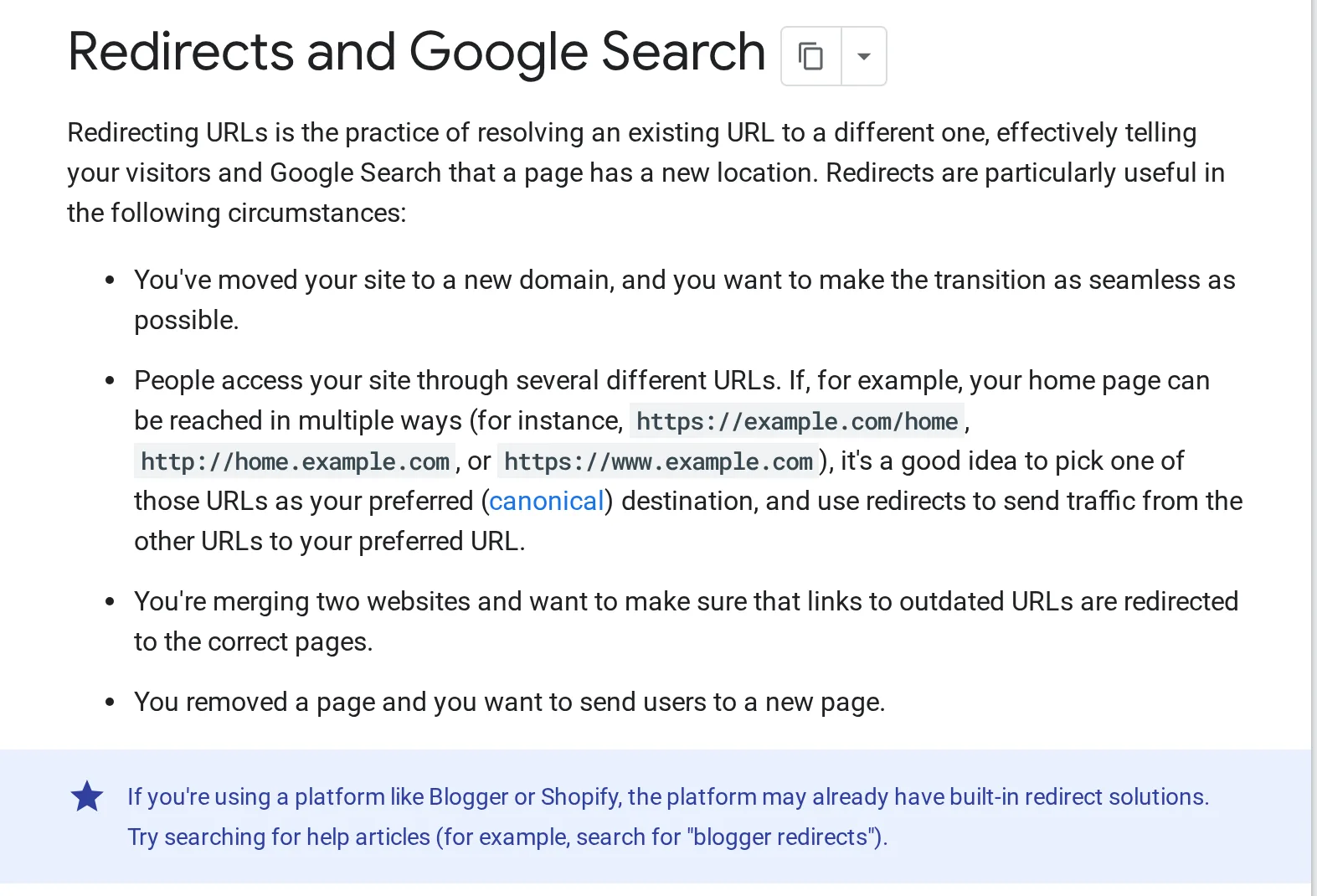
A 301 is a status code that tells browsers and search engines "this page has moved permanently, here is the new address". Google's guide to site moves with URL changes walks through preparing a mapping from old URLs to new ones and redirecting the old URLs, and it advises keeping the redirects for as long as possible, generally at least one year.
Have a migration coming up? The redirect map is part of every managed migration I run, tested on staging before launch. Send me the old store's URL and I'll tell you how big the map is likely to be.
Platform migrations usually change URLs, because each platform builds them differently. PrestaShop's default friendly URLs usually carry a numeric ID in the path, and multilingual installs often add a language prefix. WooCommerce by default puts products under /product/ and categories under /product-category/. So in a PrestaShop to WooCommerce move, nearly every product and category URL changes, even when the slug stays the same. "We'll redirect the important pages" doesn't cover it, because the pages nobody thinks of are often the ones holding old backlinks.
Collect every old URL, not just the ones in the sitemap
The sitemap lists what the store wanted indexed. It doesn't list what Google actually indexed, what other sites link to, or what customers bookmarked, so for URL mapping in a site migration I merge several sources into one list.
I start with the old store's XML sitemap, every language included, and a full crawl of the live old store. Google Search Console adds two more: the pages with impressions or clicks in the Performance report, exported over the longest period it offers, and the top linked pages from the links report, which covers external backlinks. Landing pages from the analytics account pick up anything else that gets traffic. If the host keeps server access logs, they show URLs that still get hits even though nothing on the site links to them any more.
The last source is the database. An export of products, categories, CMS pages and manufacturers with their IDs and slugs lets you rebuild URLs a crawl misses, such as disabled products or out-of-stock items hidden from the menus.
Then deduplicate, strip tracking parameters, and normalise trailing slashes and letter case so the same page isn't mapped five times. Keep the result as a plain spreadsheet with one old URL per row. It becomes the test list later.
Match by ID or SKU, not by name
Matching by product name looks quick and goes wrong on anything with variants, renamed items or duplicate titles. The reliable approach is to carry a stable key across the migration. When products are imported into the new store, keep the old platform's product ID or SKU in a field on each new product. The mapping then becomes a join: the old URL contains the old ID, the old ID points to the new product, and the new product has a URL.
Do the same for categories, manufacturer or brand pages and CMS pages. If the data migration is done without keeping the old IDs, the redirect map turns into hand work, and on a catalogue of any size that is where errors creep in. I'd put "keep the old IDs" in the migration brief before a single product is imported. It's one of the first items in the checklist I use for PrestaShop to WooCommerce migrations for that reason.
The URLs that get missed
Language versions are the easiest to get wrong. A multilingual PrestaShop store has a separate URL for each language, and each needs its own redirect to the matching language on the new store, not to the default one. If the old store gave product variants their own URLs, those usually belong on the parent product.
Beyond that, check pagination and filter URLs, old search result pages, supplier and manufacturer listings, contact and legal pages, the blog if there was one, and image URLs if the store's images were getting traffic from image search. URLs left over from an earlier migration can still collect links too, which is worth checking on inherited PrestaShop installs, where nobody remembers what the store looked like before.
Filter and search URLs usually don't deserve one-to-one rules. Send them to the relevant category with a pattern rule and let the rest return a proper 404.
Pages with no new home
Every migration has discontinued products and categories the client has decided to drop. For each one, pick the closest relevant page: the parent category, or the replacement product if there is a direct successor. If nothing is relevant, let it return a 404, or a 410 (the "gone for good" code), rather than forcing it somewhere.
I don't redirect unmatched URLs to the homepage. A visitor looking for a specific product gains nothing by landing there, and I don't think a redirect to an unrelated page does much for search either. A long list of homepage redirects usually means the mapping was left unfinished.
The client should sign off on the discontinued list. They know which old products customers still ask for, and it's their call whether a dropped line goes to a category or simply ends.
How to implement the redirects
Google's page on redirects and Google Search recommends a permanent server-side redirect whenever possible when a page's URL changes. For a store migration that means rules in the web server configuration, or a redirect map file the server reads, rather than JavaScript or meta refresh.
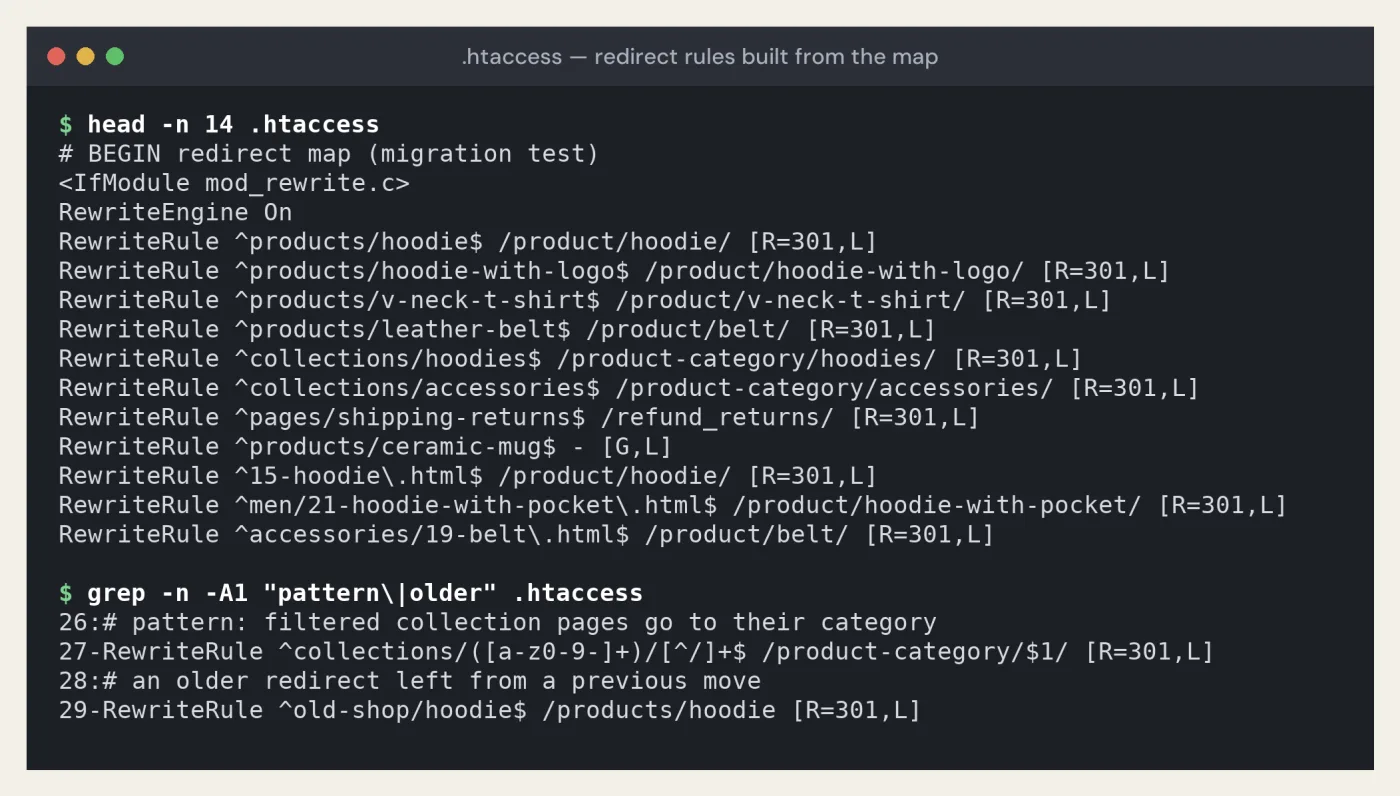
For large catalogues I prefer a server-level map: one lookup table of exact old-to-new pairs, plus a few pattern rules for things like old filter URLs. It's fast, it lives in version control with the rest of the code, and it doesn't depend on a WordPress plugin staying installed and configured. Database-driven redirect plugins are fine for a few hundred rules an editor needs to manage. With many thousands, I'd rather the server answered before WordPress loads.
Whichever method you use, each old URL should reach its final destination in a single hop. If the old store already had redirects of its own, update them to point at the new URLs directly instead of chaining old to older to new.
Test the whole list on staging
I build and test on staging and only touch a client's live site when there's no other option. A migration launch is one of those moments, which is why everything that can be checked beforehand gets checked on staging first.
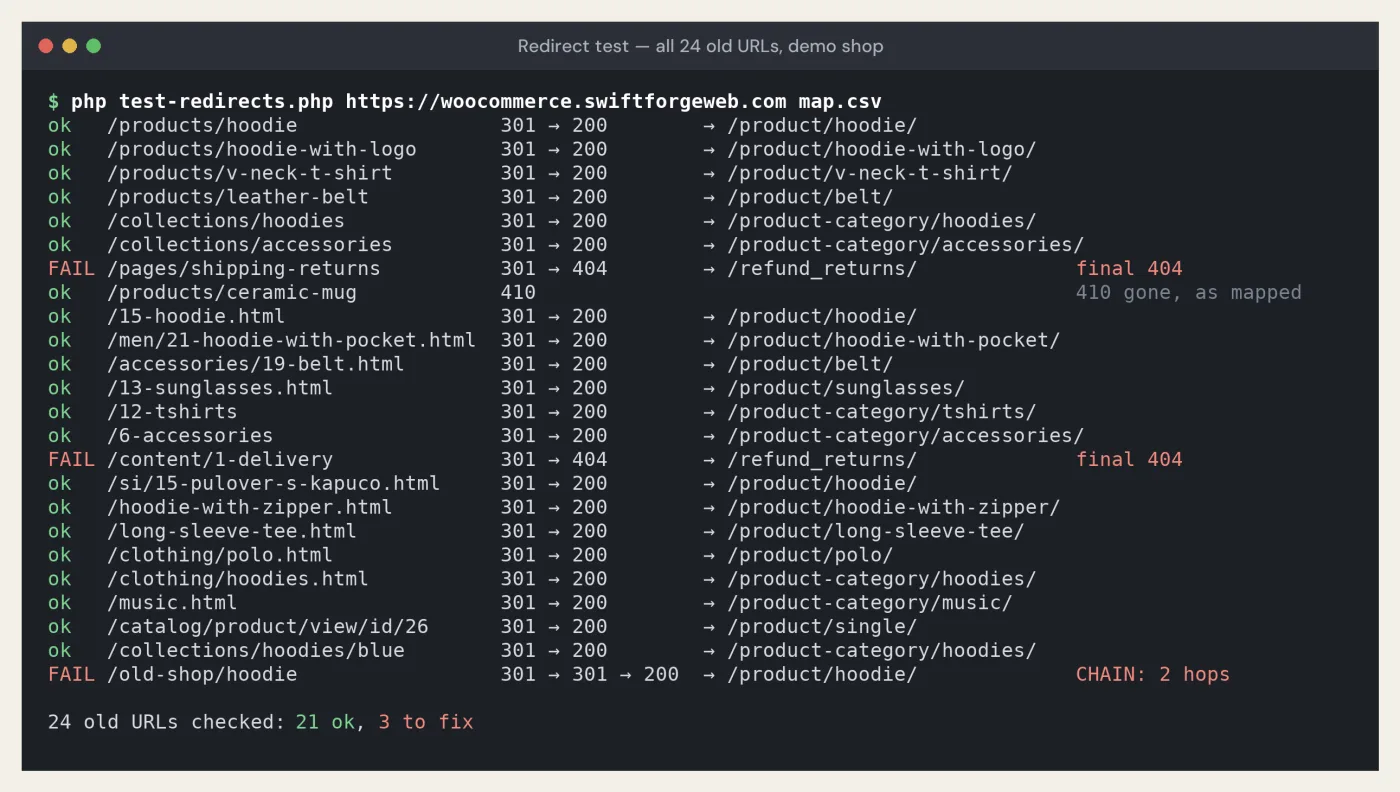
Put the new store on staging with the redirect rules active and run every URL from the old list against it with a script or a crawler that reports status codes. Each row should pass three checks: the old URL returns 301, it lands on the intended new URL, and that new URL returns 200 (a working page). Anything that returns 404, 302, a chain of redirects or a loop goes back for fixing.
Crawl the new store itself as well, and check that its internal links, canonical tags and XML sitemap all use the new URLs. Internal links pointing at old URLs still work through the redirects, but they add a hop to every click and every crawl, so fix them in the templates and content.
Launch day and the weeks after
Before the switch, take a full backup of the old store, files and database, and keep the old store running on its own server or a separate hostname, closed to the public, until the new one has proved itself. If DNS is changing, lower its TTL (how long resolvers cache the address) well ahead of the switch so that pointing traffic back takes effect quickly if you need to. Agree a window with the client for the final sync of orders and customers, so nothing placed on the old store in the last hours gets lost.
Straight after the switch, run the same test list against the live new store. Server and caching layers sometimes behave differently from staging. If checkout breaks or the redirects fail in bulk, rolling back to the old store and fixing it on staging is safer than patching a live store while orders come in.
Once it holds, submit the new XML sitemap in Search Console. If the domain changed as well, Search Console has a Change of Address tool for domain moves. For the following weeks, watch the new store's 404 log and the indexing reports, and add rules for any old URL that turns up unmapped.
Keep the redirects for at least as long as Google's guide suggests. I'd keep them much longer, because old backlinks and bookmarks can go on sending visitors for years, and an exact-match map at the server adds very little overhead.
Who owns the map in an agency project
On agency projects the redirect map can fall between the SEO person, the developer and the client, with each assuming someone else has it. Name an owner in the brief. The developer builds and tests the map, the client approves the discontinued list, and the agency keeps the final spreadsheet and the test results, so there is a record to check if a ranking drop is questioned months later.
If you're handing the migration to a subcontractor, ask before agreeing scope how they collect old URLs, whether they keep the old IDs on import, and how they test redirects before launch. Those belong with the other questions to ask a white-label developer before the first brief.
Working through this on a client's store? Send me the URL and what you've found so far, and I'll tell you what I would check first and whether it needs more than a checklist, NDA first if you want one. Send me the URL.