A custom WooCommerce checkout that breaks on every update was usually built by copying WooCommerce's own checkout files into the theme and editing the copies. Each update changes the originals, while the copies stay exactly as they were the day they were made. To stop it, rebuild the customisation so it hooks into WooCommerce instead of replacing parts of it, keep that code in a small plugin of its own, and run every update on staging before it reaches the live store.
"The checkout broke" covers several different failures, though, and some of them only show up when a real customer tries to pay.
Why the checkout breaks: copied templates go stale
WooCommerce lets a theme override its templates. You copy a file such as the checkout form from the plugin's templates folder into a woocommerce folder inside the theme, edit it, and WooCommerce loads your copy instead of its own. WooCommerce's template documentation describes this mechanism, and it is legitimate. It is also the easiest way to end up with a brittle checkout.
A checkout that breaks on every update? I rebuild it as a small custom plugin on WooCommerce's own hooks, so updates stop overwriting the work. That is my custom WooCommerce development, and a short brief is enough to scope it.
The copy is a snapshot. When WooCommerce changes the original (a new field, a changed wrapper element, a different way of outputting the payment methods, a fix in how something is escaped), your copy doesn't get the change. Sometimes nothing visible happens. Sometimes the payment section stops refreshing, a field disappears, or orders go through without data the client's fulfilment team relies on.
When people search for "woocommerce template overrides outdated", this is the situation they are in: the theme's copy of a checkout template is older than the original in the plugin. If a checkout misbehaves straight after an update, an outdated checkout template is the first thing I look for, by comparing the theme's copy with the current file in the plugin.
Some older stores have something worse: edits made directly to files inside the WooCommerce plugin folder. Every update replaces that folder, so those edits vanish entirely. If the checkout "resets" to default after an update, this is one possible cause, alongside the theme and checkout-type changes below.
The other usual suspects
Custom code in the theme's functions.php is fine in a child theme, but if it sits in a parent theme that the client or another developer updates, it is overwritten along with everything else. Checkout logic tied to a theme also disappears quietly when the site is redesigned later.
JavaScript that depends on the checkout's HTML is another common cause. The classic checkout reloads parts of itself whenever the address, shipping method or coupon changes, replacing the order review and payment sections in the page. Script that attached itself to those elements once, on page load, stops working after the first refresh. Script that targets class names or element positions breaks when an update changes the markup. I write checkout script to cope with those refreshes and to find its elements by something less likely to change than a styling class.
Custom code that reads and writes order data straight from the WordPress posts tables can break on stores using High-Performance Order Storage (HPOS), where orders live in their own tables. Code that goes through WooCommerce's order objects and their getter and setter methods usually works with either storage, though that still depends on what else the code does with the database. Code that calls get_post_meta on an order may keep working while the old tables are kept in sync, and stop working the day someone turns syncing off.
Then there is stacking: a checkout field plugin, a one-page checkout plugin, a payment gateway and custom code all filtering the same fields in a different order. Each update to any of them can shift who wins. In my opinion two plugins that both rewrite the checkout fields is one too many, and I would rather replace both with a small piece of custom code that does exactly what the client needs.
Which checkout is the store actually using?
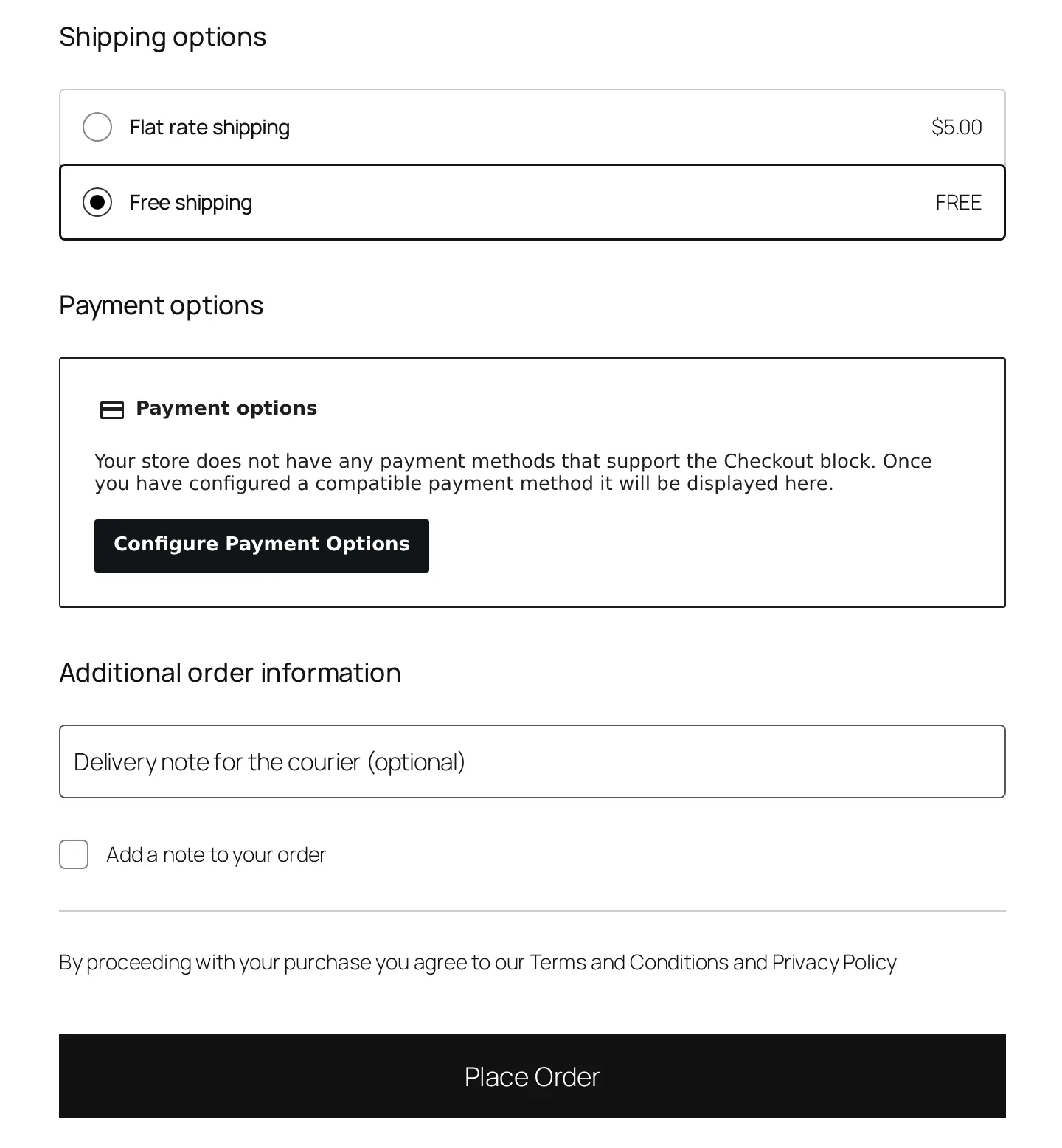
WooCommerce has two checkouts: the classic one, rendered from PHP templates through a shortcode, and the newer checkout built from editor blocks. They are customised in different ways, and I wouldn't assume code written for one does anything on the other until it has been tested there.
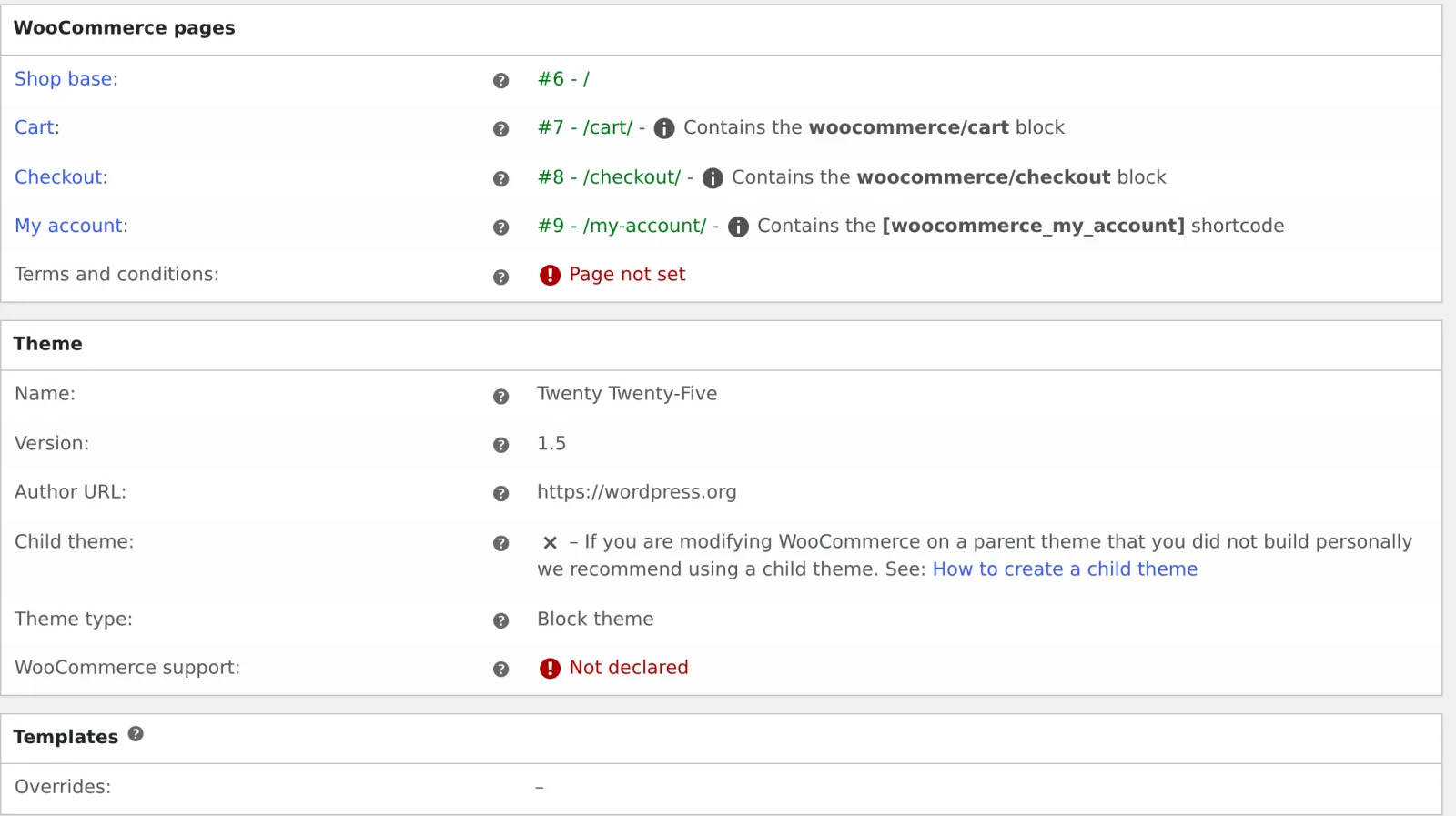
Some "it broke after the update" stories turn out to be this. The checkout page was switched to blocks by a new theme, a page rebuild or someone tidying up, and the existing customisations were never written for it. So the first question in any checkout job is which checkout the store runs today. If there is a hard reason to stay on the classic checkout, such as a payment gateway or a requirement the block version doesn't handle, stay there deliberately and write the reason down somewhere the next person will read before switching.
How I build a checkout customisation that survives updates
Hooks are named points in WordPress and WooCommerce code where other code is allowed to join in. An action runs your function at that point; a filter hands your function a value (the list of checkout fields, for example) and uses whatever you hand back. The WordPress Plugin Handbook explains both. Code built this way relies on a handful of named hooks rather than on a full copy of a WooCommerce file. Hooks can still change or be deprecated, and when one does, you know which few lines of the plugin to look at.
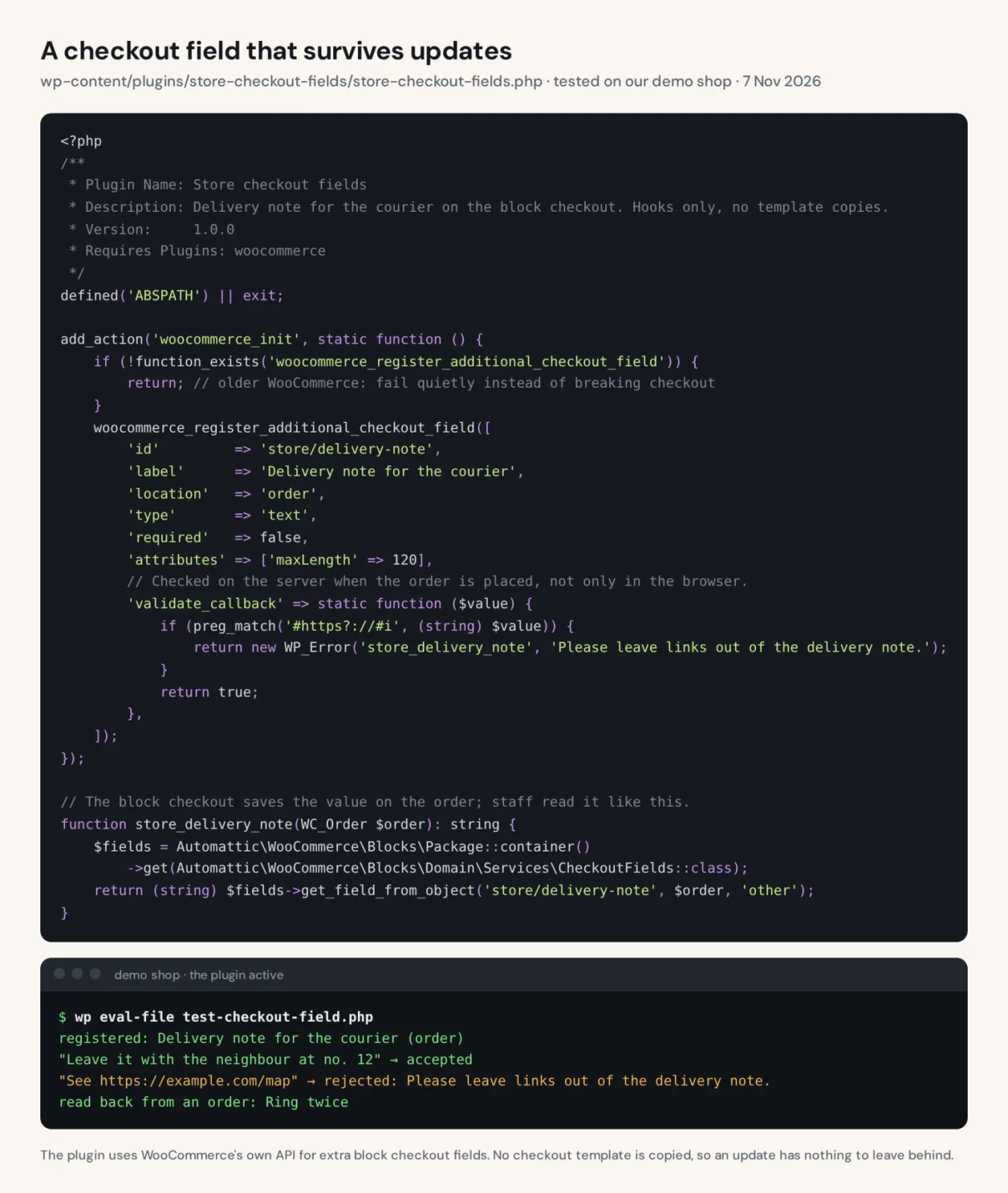
I put the checkout code in a small plugin of its own rather than in the theme. It then survives theme updates and a later redesign, and the next developer can read all of it in one sitting. On the classic checkout, fields are added, removed and reordered through the woocommerce_checkout_fields filter rather than by editing template HTML. The block checkout is customised through its own, separate mechanism, so I scope that as a different piece of work.
Validation happens on the server, in PHP, through WooCommerce's own validation hooks. A JavaScript check is a convenience for the customer and should not be the only check, because anything in the browser can be bypassed or can fail to load. Order data is saved and read through WooCommerce's order objects, and the plugin declares HPOS compatibility.
Template overrides are my last resort. When one can't be avoided, I override the smallest file that does the job and write down which WooCommerce release it was copied from, so whoever runs the next update knows to compare it against the new original.
The checkout is also where performance problems tend to pile up, because every plugin that thinks it belongs there loads its scripts on it. If the client complains the checkout is slow as well as fragile, the cart fragments problem is a sensible place to start.
Running updates without a client phone call
I would not let a WooCommerce update reach a store with a custom checkout without trying it on staging first, and I think automatic updates for WooCommerce and payment plugins on such a store are a bad idea.
Start with a full backup of the live store, files and database, and check that it actually restores. Refresh staging from live, then make sure staging can't send real emails or charge real cards by putting the gateways in sandbox or test mode. Update WooCommerce and the related plugins on staging only, and compare any template overrides left in the theme against the new originals.
Then place test orders on staging. The combinations I'd cover:
- guest and logged-in customers
- every shipping method, and every payment method in sandbox
- an order with a coupon and one without
- each custom field filled correctly, left empty, and filled with something it should reject
Open each test order in the admin and check that the custom data landed where the client's team, and any connected ERP or fulfilment system, expect to find it. Look at the browser console and the PHP error log on staging for anything new.
Update live outside the client's busy hours. If the gateway has a test mode on live, place a test order that way. A real order needs the client told first, a cheap product, and a refund, cancellation and stock correction afterwards; it sends real emails and may reach a connected ERP, so warn whoever watches that as well. Should the live update go wrong anyway, restoring the backup also rolls back any orders placed since it was taken, so export those before you restore.
What to put in the brief
When you hand a broken checkout to a white-label developer, the useful information is what the checkout is supposed to do (each custom field, rule and integration, in plain words), which checkout the store uses, which plugins touch it, and what broke after which update. A list of the active plugins with their versions saves a round of questions.
Whoever you give the work to, it is reasonable to ask that the checkout code end up in a plugin rather than in theme edits, with written notes listing the hooks it uses and any template still overridden. Those notes are what let a different developer pick the checkout up later, and that matters more if the original developer becomes unreachable, a risk I covered in ‘My developer went dark’.
For my own part, I work on staging, not the client's live store unless there is no other option, and hand over the code with a short written summary. If you are still choosing someone for this kind of work, these are the questions I'd ask before sending the first brief.
Got a brief like this? Tell me the URL, the platform and what's stuck, and I'll come back with scope and a price, NDA first if you want one. Send me a brief.