An ERP sync with a WooCommerce or PrestaShop store usually keeps breaking because it was built as a one-off script that assumes both systems always answer, always agree and never change. It has no agreed owner for each piece of data, no reliable shared identifier, no retry when a request fails, and nobody gets told when it does. Fixing it for good means rebuilding the sync around those things, with a queue, a log and a regular check that compares the two systems, instead of patching whichever order went missing this week.
What an ERP integration actually has to do
ERP stands for enterprise resource planning: the back-office system that holds stock, purchasing, invoicing and often the customer accounts. An ERP integration is the code that moves data between that system and the store. Products and stock levels usually flow from the ERP to the shop. Orders, customers and payments usually flow back.
Is a client's sync breaking right now? I rebuild ERP integrations around a queue, a log and a regular check that compares both systems, white-label, as part of my integration work. Send me what's breaking and I'll scope the fix.
On WooCommerce that code talks to the WooCommerce REST API, or runs inside WordPress as a plugin. On PrestaShop it typically uses the built-in webservice or a module that hooks into the shop, both covered in the PrestaShop developer documentation. Either route works. The faults I describe below sit in how the sync was designed, and they look much the same on both platforms.
Nobody decided which system owns which field
If the client edits product prices in the ERP and also in the WooCommerce admin, the sync has to guess which one wins, and it will guess differently depending on which side ran last. The same applies to descriptions, stock, customer addresses and order statuses.
A working integration has a written rule for every field: this one is owned by the ERP and the store never changes it, that one is owned by the store and the ERP only reads it. When that rule doesn't exist, a developer fixing a bug report has nothing to check the "correct" value against, and the client's staff keep editing the same field in both places.
Records are matched on something that changes
The sync needs a way to say "this product in the ERP is that product in the shop". Weak integrations match on product names, on the shop's internal database ID, or on an ID kept by hand in a spreadsheet. Names get edited, internal IDs change when products are deleted and recreated or the store is migrated, and spreadsheets go stale.
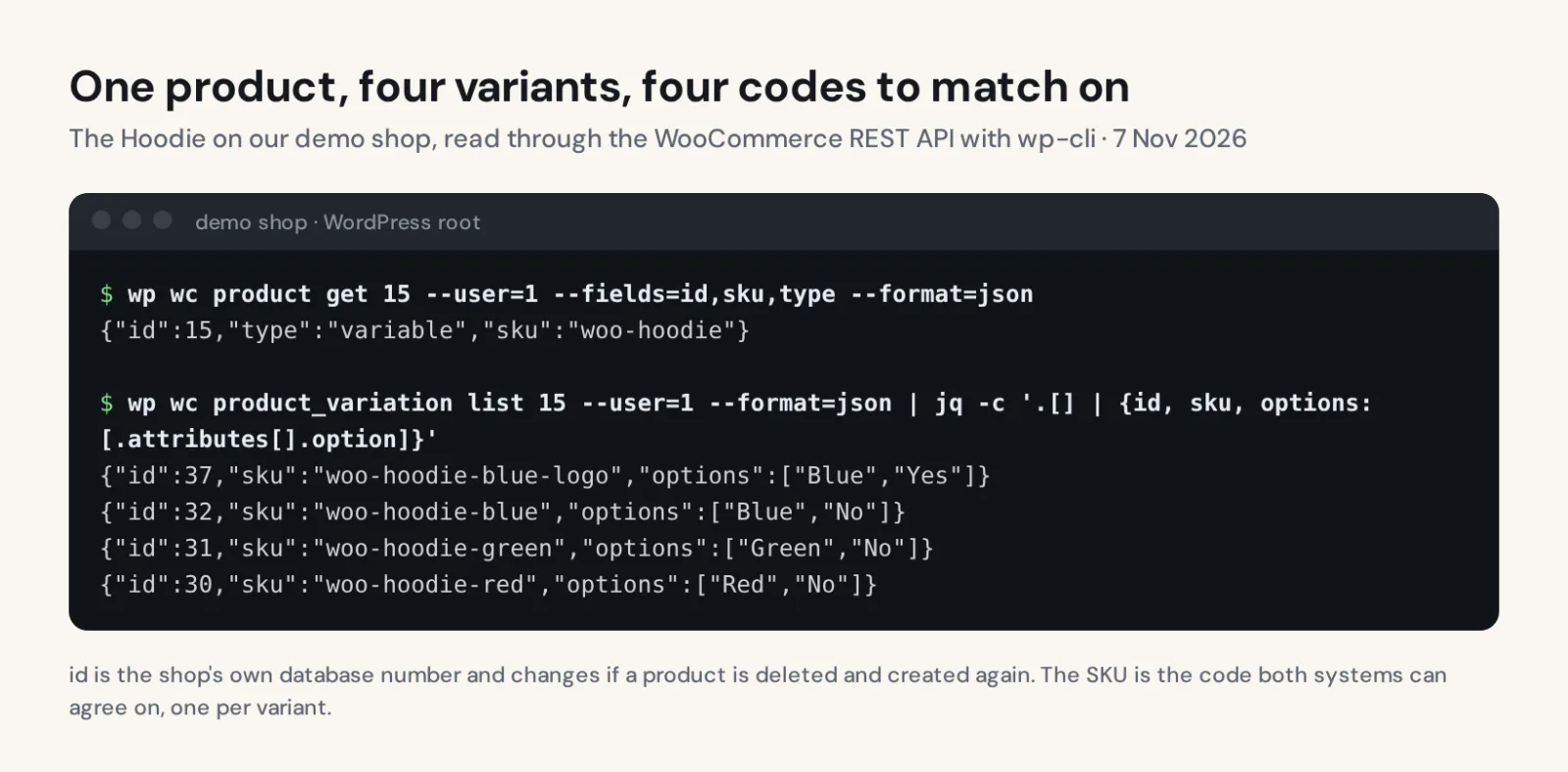
The SKU (the stock-keeping code) is usually the right shared key, provided it is unique on both sides and nobody changes it once set. Both platforms track stock per variant (variations in WooCommerce, combinations in PrestaShop), but the sync can only update the right variant if each one has its own code to match on. Without that, stock for a particular size or colour can be written to the wrong variant or to the parent product.
The sync runs on a timer nobody controls
Many WooCommerce integrations schedule their work with WP-Cron, WordPress's built-in scheduler. The WordPress Plugin Handbook explains that WP-Cron is triggered by page loads rather than by the server clock.
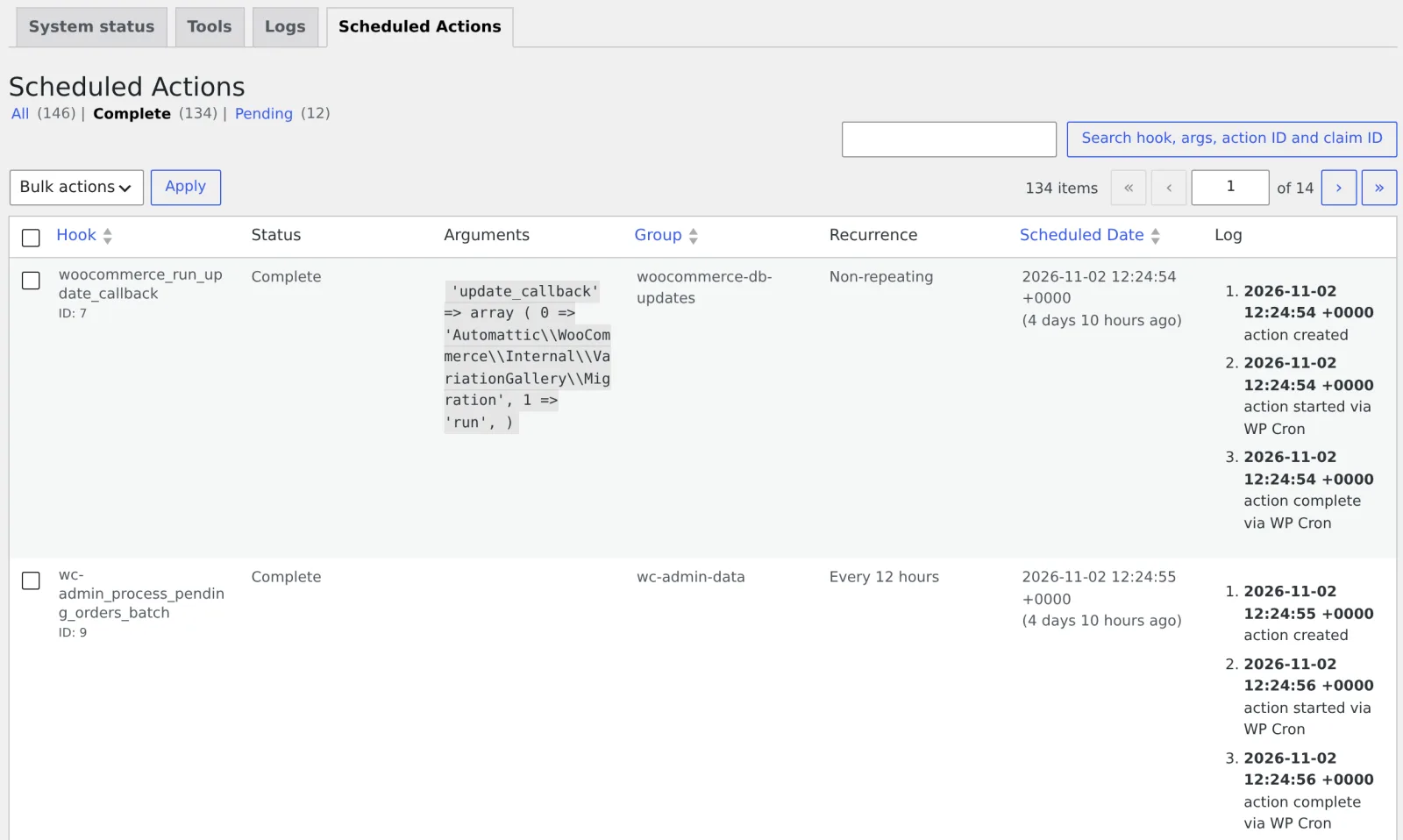
In my view that has two consequences worth designing for. On a quiet store, a stock sync may not run for long stretches because nobody is visiting. And if the job doesn't check whether a previous run is still going, two runs can overlap; if the code that sends orders to the ERP doesn't recognise an order it has already sent, that overlap can create duplicates.
Bulk jobs bring their own failure. A script that pulls the whole catalogue in one request may work on a test shop with a few hundred products and then hit a PHP timeout or an API rate limit once the real catalogue is loaded. Whatever was in flight when it died is simply not updated.
Failures happen silently
When the ERP is down for maintenance, or returns an error because a customer's postcode is longer than its field allows, a basic integration logs nothing, retries nothing and moves on. Days later someone notices a gap.
Credentials are another quiet failure point. If the integration authenticates as a real person's account, and that account is removed or its role changed when someone leaves, the sync can stop working without anyone connecting the two events. Give the integration its own dedicated user and key on both sides.
An update quietly undoes the custom code
On WooCommerce, the classic version is a fix made by editing a third-party connector plugin directly. The next plugin update overwrites the file and the old bug comes back. On PrestaShop, the equivalent is an override: a file that replaces part of a core class. Overrides can clash with another module's override or stop matching the core after an upgrade, and the result can be a sync that half works. I've written separately about taking on an inherited PrestaShop client.
Custom integration logic belongs in its own plugin or module, using the hooks and filters the platform provides, so that updating the connector, the theme or the platform doesn't overwrite it.
How to fix it for good
I wouldn't patch an integration like this one more time. I'd rebuild the layer around it, which is usually less code than people expect. These are the pieces I'd want in place:
- A one-page data map listing every field that moves, which system owns it and in which direction it flows. The client signs it off, because deciding whether the ERP or the shop owns the price is a business decision.
- One stable shared identifier per record, usually the SKU for products and the order number for orders, enforced as unique on both sides.
- A queue instead of one big run, so each change becomes a small job that can fail and be retried on its own. On WooCommerce, Action Scheduler, a job queue library for background processing in WordPress, is a sensible base. Triggering it from a real server cron rather than page loads makes the timing predictable.
- Idempotent writes. That means sending the same update twice gives the same result as sending it once: an order pushed again after a timeout is recognised by its number and updated, not created a second time.
- A log of every request and response, kept long enough to answer "what happened to order X last Tuesday", plus an alert that reaches a person when jobs keep failing.
- A reconciliation job on a schedule that compares stock and recent orders across both systems and reports the differences, which catches the failures nobody predicted.
- The dedicated API user and key mentioned above, not tied to any employee.
None of this is specific to e-commerce. A tourist agency site I built had a reservation system, an XML product feed and a CRM integration that had to be kept in sync, and the same questions of ownership, matching and retries applied there.
Testing it without touching the live ERP
Build and test on a staging copy of the store, but check where that copy points before anything runs. A staging site cloned with live ERP credentials will push test orders into the client's real accounting and stock. Ask the client for a sandbox or test company in the ERP, swap the credentials on staging, and switch off outgoing webhooks and order emails there.
When it goes live, take a full backup of the store database first and plan a short freeze on manual edits to the fields the sync owns. Run the reconciliation job straight after the first full sync and compare its report with what the client expects. Removing the old connector plugin or module can delete its settings and mapping tables, so export those before you uninstall anything; they may be the only record of how the old sync was configured.
Handing the rebuild to a white-label developer
Integration work is where an unclear brief costs the most, because the developer usually can't see the ERP. A useful brief names the ERP and how it is accessed (API documentation, a sandbox, a contact on the client's side who can answer questions), describes what goes wrong and when, and includes a few real examples: an order number that didn't arrive, a product whose stock was wrong. If the client can export recent error emails or logs, include them.
Put the data map in the brief as something you want agreed before any code is written, and keep the signed copy on your side. A sync that only one developer understands is the risk I describe in ‘My developer went dark’, and these questions are worth asking before you send the brief. I work on staging and hand over the code plus a short written summary; the integration work itself is described on the API / ERP / CRM integrations page.
Got a brief like this? Tell me the URL, the platform and what's stuck, and I'll come back with scope and a price, NDA first if you want one. Send me a brief.